
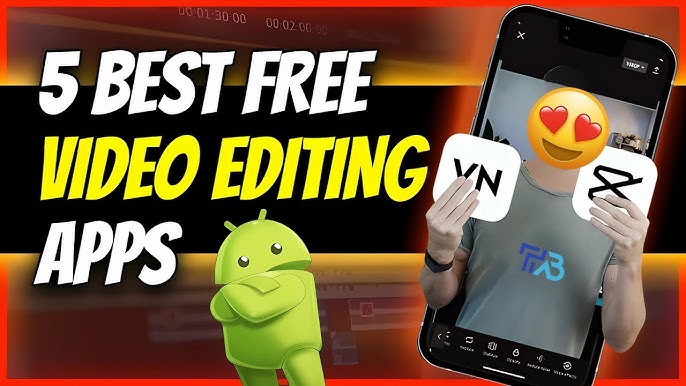
Are you looking for the best video editing apps for your phone? Whether you are a beginner or a content creator on YouTube, Instagram, or TikTok, having a good video editing app can make your videos more professional and attractive. The best part? You don’t need a laptop or computer—just your smartphone!
In this article, we will share the top 5 best video editing apps for both Android and iOS that are perfect for users in Pakistan and India. These apps are easy to use and come with powerful tools like effects, filters, music, text, and more. Let’s start!
1. Kinemaster: A Powerful and Easy-to-Use Video Editor

KineMaster is one of the most popular video editing apps for both Android and iOS. It is great for beginners as well as advanced users.
Key Features:
- Multi-layer video editing
- Add music, text, and voiceovers
- Special effects and transitions
- Chroma key (green screen)
- Export in 4K
Pros:
✔️ Easy to use
✔️ High-quality video export
✔️ Many free effects and transitions
Cons:
❌ Watermark in free version
❌ Some features are locked in free version
Why it’s good:
KineMaster is perfect if you want to make professional-style videos directly from your phone. Great for YouTube and Reels!
2. InShot: Easy Video Editing for Social Media

InShot is a user-friendly video editor that is loved by many social media users in India and Pakistan. It is especially good for making videos for TikTok, Instagram Reels, and WhatsApp status.
Key Features:
- Trim, cut, and merge videos
- Add music, text, and emojis
- Speed control (fast/slow motion)
- Background blur for vertical videos
- Filters and effects
Pros:
✔️ Very easy interface
✔️ Best for short videos
✔️ Many music and sound options
Cons:
❌ Watermark in free version
❌ Limited advanced features
Why it’s good:
InShot is ideal for beginners and quick editing. If you make content for social media, this app is perfect for you.
3. Adobe Premiere Rush: Professional Editing on the Go
If you want something more professional but still easy to use, Adobe Premiere Rush is a good choice. It is made by Adobe, the company behind Premiere Pro.
Key Features:
- Multi-track timeline
- Built-in templates and filters
- Sync projects across devices
- Sound editing tools
- Export in HD
Pros:
✔️ Clean and modern interface
✔️ Works on mobile and desktop
✔️ High-quality output
Cons:
❌ Limited features in free plan
❌ Heavier app, needs more storage
Why it’s good:
Adobe Premiere Rush is best for those who want more control and professional editing on mobile.
4. FilmoraGo: All-in-One Video Editor with Fun Features
FilmoraGo is a powerful yet simple video editor that helps you make stylish videos in minutes. It is great for vloggers, editors, and students.
Key Features:
- One-tap themes and effects
- Trim, split, and crop videos
- Voiceover support
- Speed control
- Text animations
Pros:
✔️ Modern templates
✔️ Smooth and fast performance
✔️ Good for storytelling videos
Cons:
❌ Watermark in free version
❌ Some effects are premium
Why it’s good:
If you want a mix of style and simplicity, FilmoraGo is a great app for making quality videos fast. you need to produce high-quality videos with ease.
5. CapCut: Easy and Feature-Packed Video Editing App
CapCut is one of the fastest-growing video editing apps today. It is especially famous for TikTok and Instagram content. CapCut is free and offers powerful tools without a watermark!
Key Features:
- Free effects and filters
- AI features like auto captions
- Background remover
- Transitions and stickers
- 4K export without watermark
Pros:
✔️ Totally free
✔️ No watermark
✔️ Advanced AI tools
Cons:
❌ Requires internet for some features
❌ Slight learning curve for new users
Why it’s good:
CapCut is the best free app for creators who want pro features without paying. Great for influencers and short-form video creators.owerful video editing app that’s easy to use. It’s especially popular among TikTok creators but works well for any type of short-form video content.
Conclusion
Choosing the right video editing app depends on your needs. If you want simple editing, InShot is perfect. For pro-style editing, go for KineMaster or Adobe Premiere Rush. If you need something fast and powerful for social media, CapCut and FilmoraGo are excellent options.
No matter which app you choose, all of these are available for both Android and iOS, and they make video editing easy for everyone.
Kinemaster: A powerful and easy-to-use app for professional-level video editing.
InShot: A simple app that’s perfect for editing videos for social media.
Adobe Premiere Rush: A professional app for mobile editing.
FilmoraGo: A fun video editor that’s perfect for casual users.
CapCut: A completely free app with all the tools you need for creating stunning social media videos.
❓FAQs
Q1. Which is the best free video editing app without watermark?
CapCut is the best free video editor with no watermark and powerful features.
Q2. Can I use these apps for YouTube videos?
Yes! All 5 apps are great for YouTube. KineMaster and Adobe Premiere Rush are best for long-form videos.
Q3. Are these apps safe to use on mobile?
Yes, all the apps mentioned are trusted and available on Google Play Store and Apple App Store.

Expert tech creator and best photo and video editor since 2018.
I have problems with my cap cut app
problem?